No account · No paywall · No watermark
A Landing Page Builder With No Sign-Up
You can open the canvas, build a multi-page site from 17 templates and download the result without ever typing an email address. This page is the long version of that claim: what is genuinely unrestricted, where your work is kept, what comes out of the export, and who runs the last step once the archive is on your computer.
What "no sign-up" covers here
Plenty of builders described as free ask for an email address before the canvas loads, and then meet you a second time at the download button. Neither gate exists on this site. The editor route opens straight into a working three-pane interface, and nothing between that moment and a finished archive asks who you are.
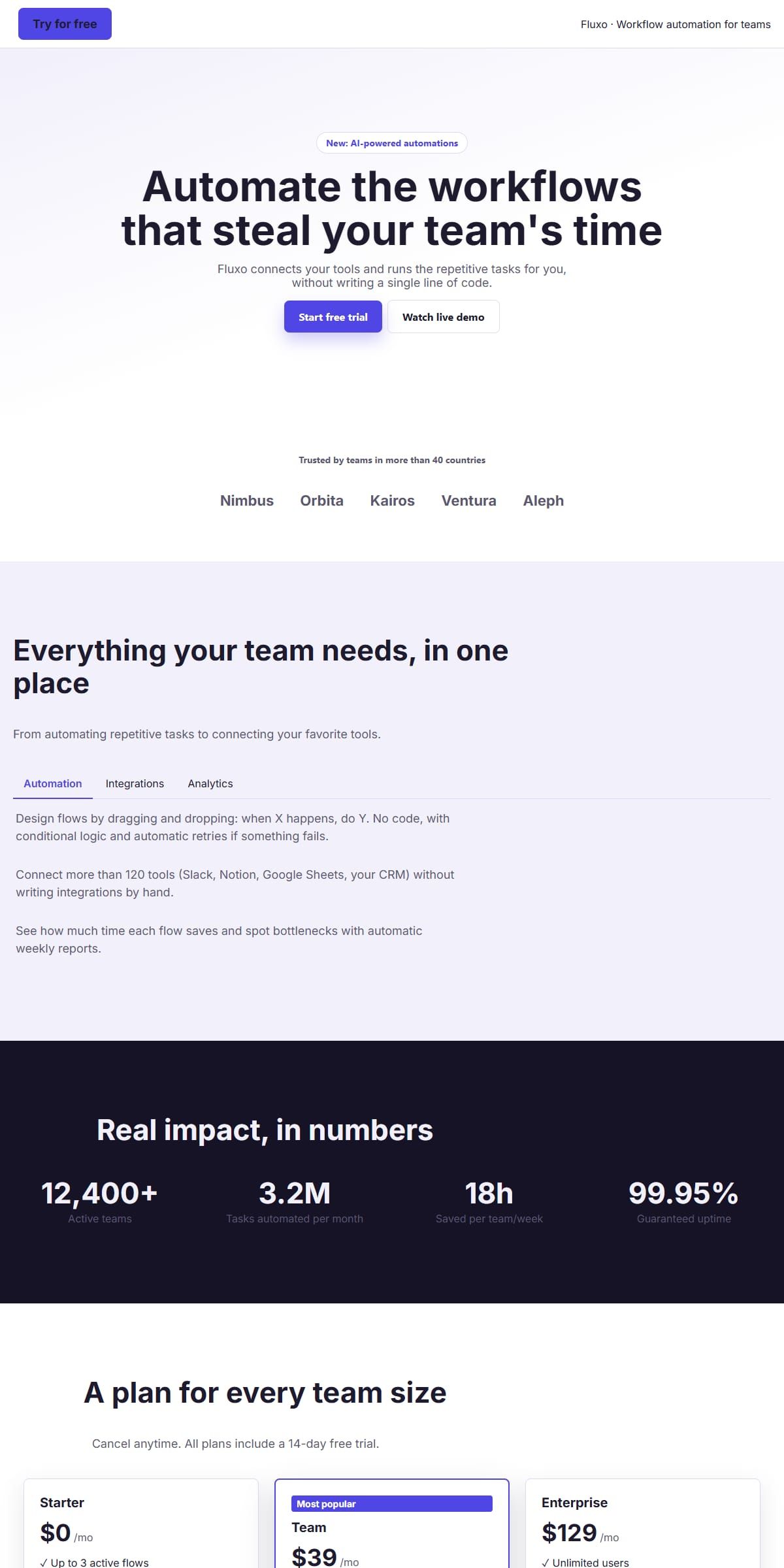
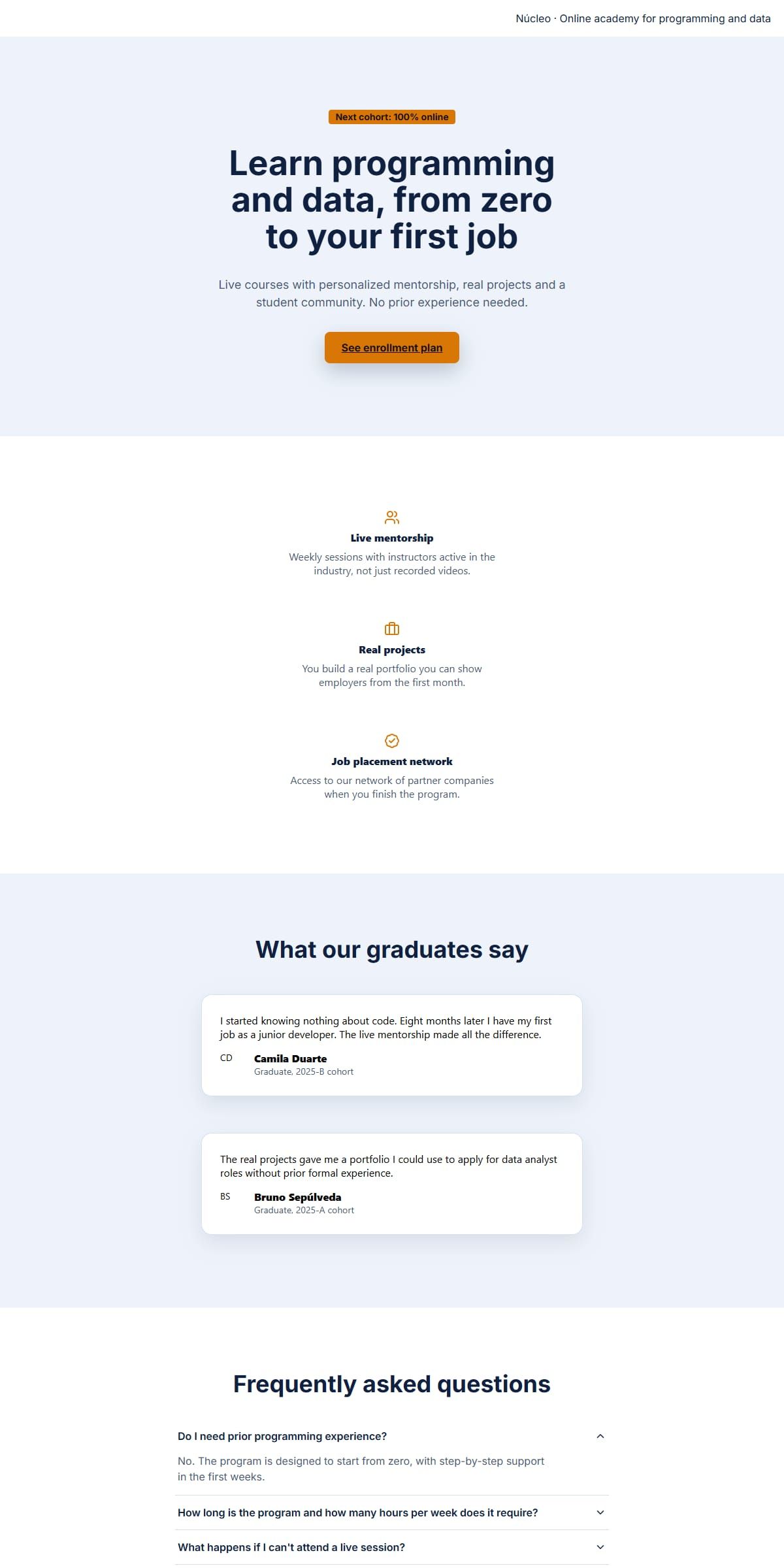
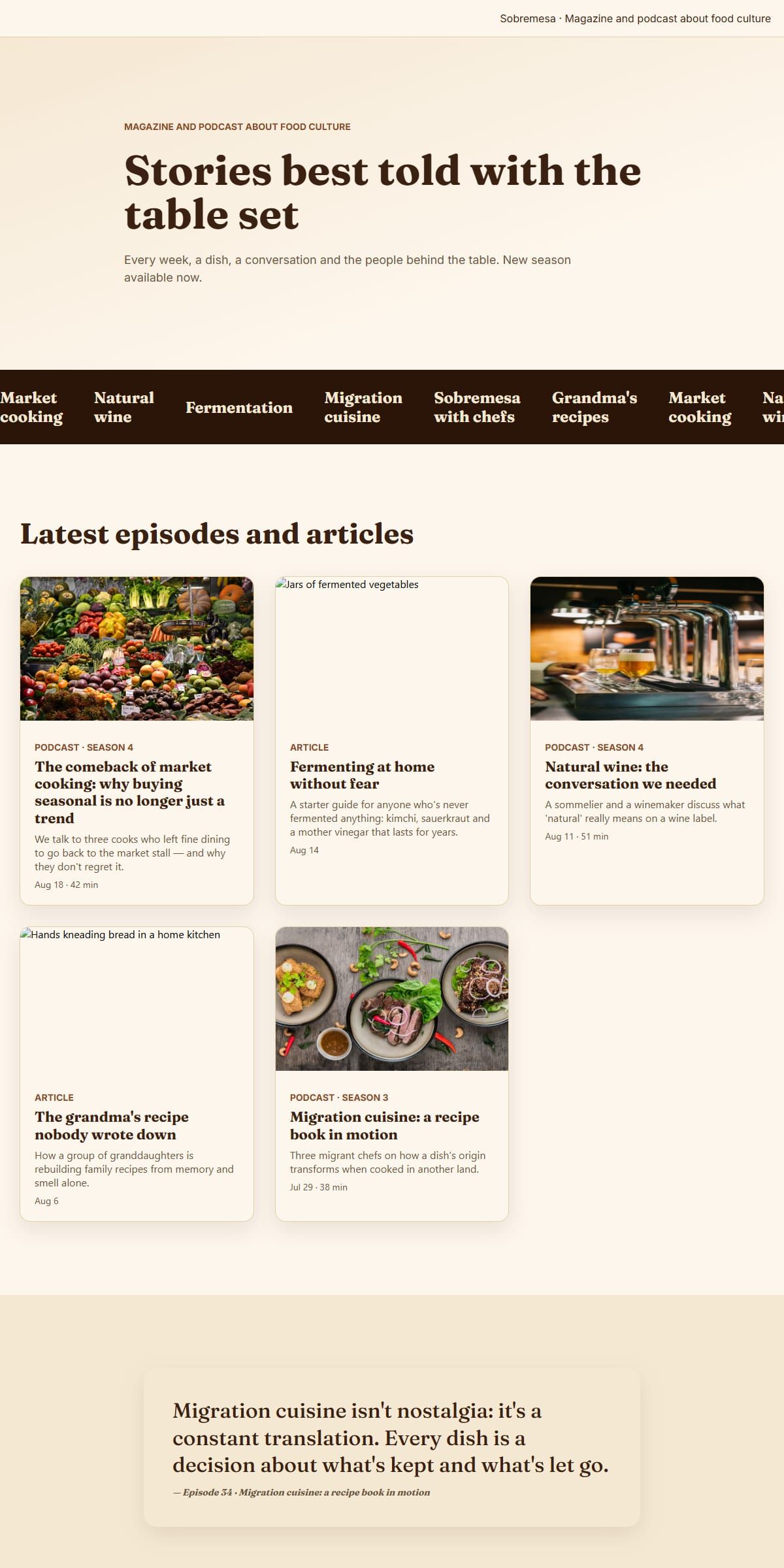
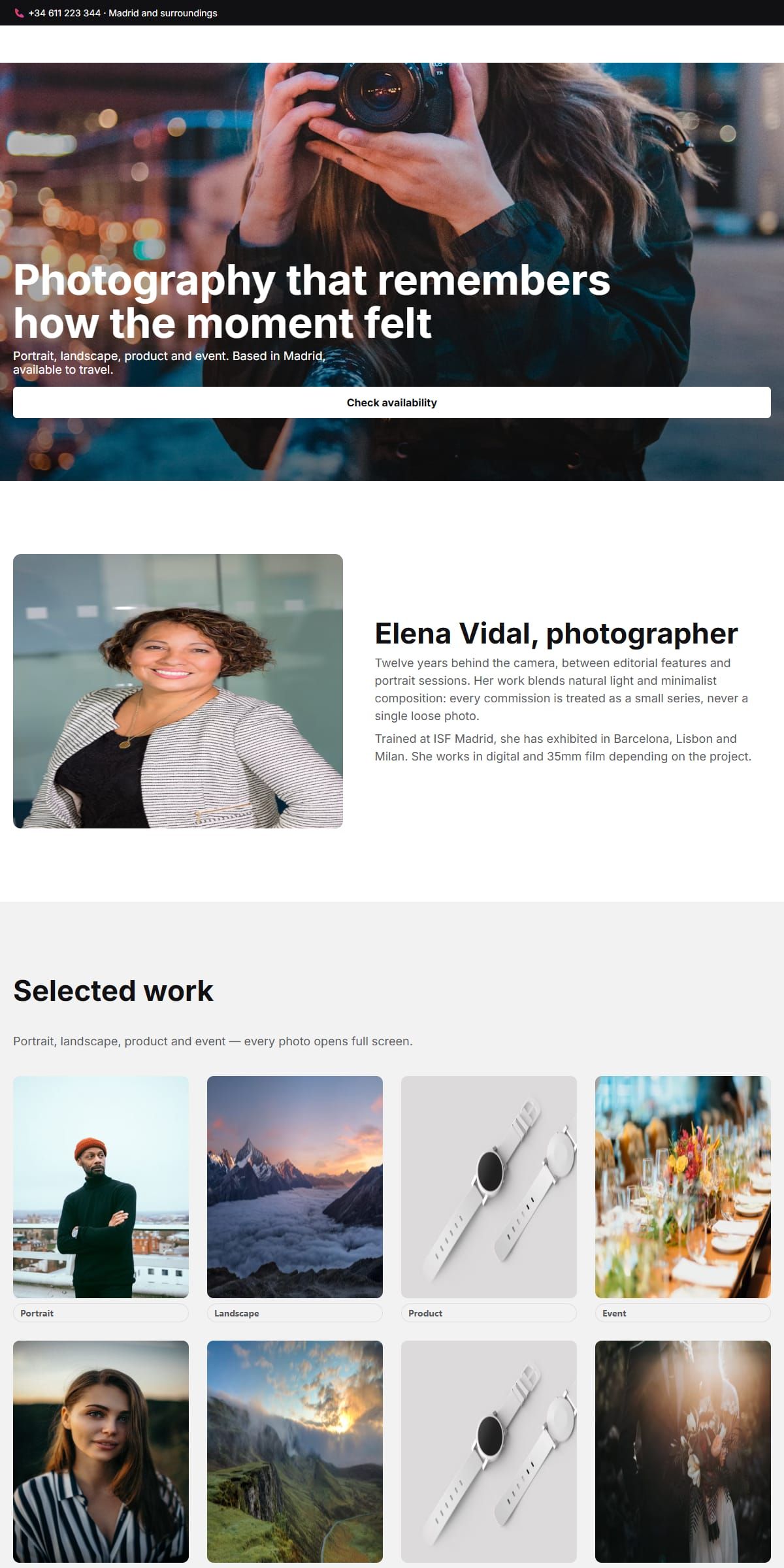
It is also not a trial tier with the useful parts fenced off. The component registry holds 37 block types and 34 of them sit directly in the sidebar palette, grouped into four categories — layout, content, form and navigation — and every one of them is draggable on the first click. So are all 17 page templates, each arriving with its own visual theme rather than as a grey wireframe you have to style yourself.
- No account, no password and no email address: the editor never has anywhere to send one.
- No paywall in front of the export button, and nothing injected into the downloaded page to credit the builder.
- No ceiling on how many pages a site holds, how many content languages it carries, or how many times you export it.
- 34 block types in the drag palette out of 37 in the registry, across four palette categories.
- All 17 page templates, each with its own theme, plus five responsive breakpoints from mobile to desktop.
Where your work is kept
Your work stays on your own computer. There is no account to create because none is needed: the editor runs inside your browser, and pressing download writes the finished site straight to your machine as a .zip file, the same way any other download arrives.
That archive is the copy that counts. Until you download it, the draft only exists in the browser you are working in, so take the archive whenever you want to keep the work, hand it to someone else, or carry on from a different computer.
- The finished site downloads to your computer as a .zip, ready to open or to host wherever you like.
- No account and no email address, and nothing you build is sent anywhere.
- Download the archive whenever you want to keep a copy or move the work to another machine.
What comes out when you export
Export is where a free builder usually stops being free, so it is worth knowing exactly what the archive holds. The exporter writes one HTML file per page — and one per content language, if the site has more than one — a stylesheet per page, and the shared layers underneath: design tokens, the theme sheet when the site uses themes, and the base sheet. Every image you referenced travels along under an assets folder of its own.
The JavaScript is the part worth understanding. Builder42 ships 17 runtime behaviours, among them accordion, carousel, count-up, form validation, lightbox, marquee, modal, navbar, parallax, reveal-on-scroll, scroll progress, scroll spy, sticky, tabs and a theme toggle. Only the ones a page actually uses are written into the archive, as plain vanilla JavaScript with no framework attached; a site that uses none gets no script files at all. The archive itself is DEFLATE-compressed at level 9.
One limit belongs here rather than in the small print: the webfonts are not bundled. The archive the browser hands you links its typefaces from Google Fonts through a stylesheet link instead of shipping the font files, so the pages need a connection to render in the intended face wherever you host them.
The last step is yours
Downloading is not the end of the road, it is the handover. What lands on your computer is a folder of ordinary HTML, CSS and JavaScript: no framework to install, no build step to run, nothing to compile before a browser can read it. Open the index file locally and the page is already the page.
Putting it online is the step you own. Any place that can hand a file to a browser will do: a directory on a server you already pay for, a static hosting provider, a storage bucket wired for the web — the same files read the same way in all three. When a site carries several content languages, each one arrives as its own set of pages, so the whole thing goes up in one move.
- The download is a folder of plain HTML, CSS and JavaScript, with no build tool required to serve it.
- Hosting is not included: the deploy step after the download is yours to run, wherever you prefer.
- Extra content languages come out as their own pages, so a multilingual site goes online as one folder.
Two practical things before you open it
The first is screen room. The palette, the canvas and the inspector sit side by side, which needs a window at least 960 pixels wide; below that the three panes overlap and nothing is operable, so links into the editor stop and explain instead of loading a broken layout. The second is weight. This is an application rather than a marketing widget — a first visit downloads 0.55 MB of compressed JavaScript — and, aside from the brand-icon catalogue some social-link sections pull in on demand, it is loaded only on the editor route, which is why the pages you are reading now are light.
Once it is open, the things people reach for first are already wired. Undo and redo answer to Ctrl or Command plus Z, with Shift added for redo, and both stay out of the way while the cursor is in a text field. A guided tour walks the interface: 18 steps are defined and 16 of them play in this embedded build, the two that do not belonging to chrome this host does not render. The interface itself speaks English, Spanish and Italian, and the tour ships in the same three. Text editing carries its own toolbar for bold, italic, strike-through, links, three heading levels and both kinds of list.
Start from a template rather than an empty page
Four of the 17, picked because they are the ones most often rebuilt from scratch. Each is a complete page, not a mockup: the same node tree the editor edits and the exporter writes out, ready to be taken apart.
Questions people ask first
Is there a watermark or a badge on the site I download?
No. The archive holds your markup, your stylesheets, the behaviours your page uses and your images, and nothing is added to credit the builder or to link back to it. There is no limit on how many times you export either.
What happens to my draft if I move to another computer?
It stays behind: the draft belongs to the browser you built it in. Download the archive before you switch machines and the finished work travels with you as a file, which is also the copy worth keeping for later.
Does the downloaded site work with no internet connection?
Not completely. The pages, stylesheets, scripts and images are all files inside the archive, but the webfonts are linked from Google Fonts rather than bundled, so with no connection the page renders in a fallback typeface.
How many different blocks can I drag onto a page?
The registry holds 37 block types and 34 of them appear in the sidebar palette, across four categories: layout, content, form and navigation. The three that are not offered directly are parts of composite blocks, added from their parent instead.
Do I need to install anything?
No. It is a web page, so there is nothing to install and nothing to keep updated. The one requirement is room on screen: the three-pane layout needs a window of at least 960 pixels.
Can I undo a change I made several steps back?
Yes. The editor keeps a history you can walk backwards and forwards with Ctrl or Command plus Z, and Shift added to that for redo. The shortcut is ignored while you are typing in a field, so a capital Z does not rewind the page.